
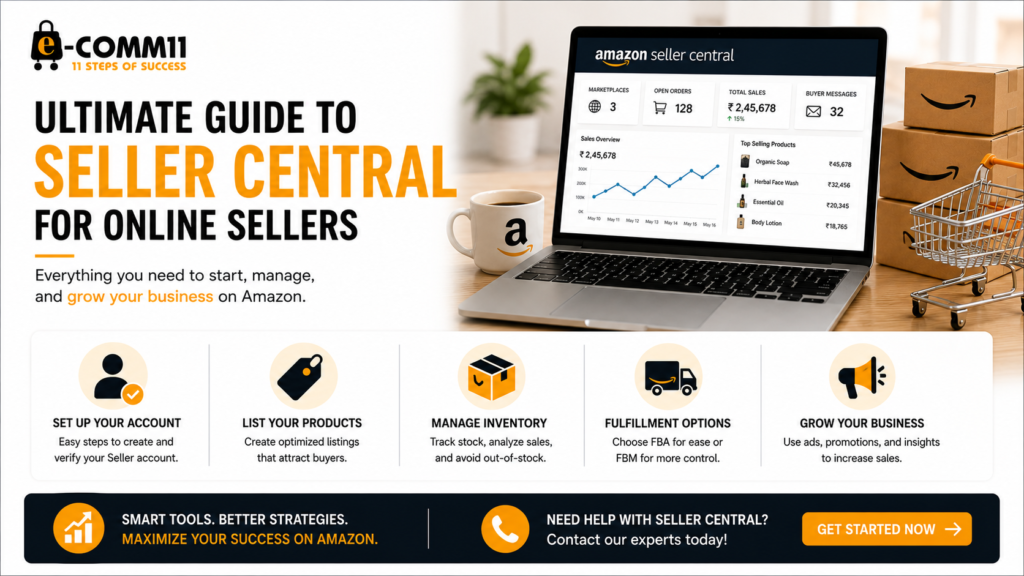
In today’s digital age, selling online has become a booming business. With platforms like Amazon Seller Central, entrepreneurs have a unique opportunity to reach millions of customers worldwide. However, navigating Seller Central can be daunting, especially for newcomers. This ultimate guide will help you understand the ins and outs of Seller Central to maximize your online selling potential.
Understanding Amazon Seller Central
Amazon Seller Central is a web-based interface that allows third-party sellers to manage their sales on Amazon. It provides a platform for listing products, managing inventory, and handling customer orders. Here’s what you need to know:
- Account Types: Sellers can choose between Individual and Professional accounts, depending on their volume of sales and business goals.
- Product Listings: You can create listings for new products or add your offer to existing product pages.
- Fulfillment Options: Sellers can choose between Fulfilled by Amazon (FBA) and Fulfilled by Merchant (FBM).
Setting Up Your Seller Account
Creating a Seller Central account is your first step toward online selling. Follow these essential steps to get started:
- Sign Up: Visit the Amazon Seller Central website and select the appropriate account type.
- Provide Business Information: Enter your business name, address, credit card, and tax information.
- Verification: Amazon will send a verification email. Confirm your email address to activate your account.
Tips for Setting Up Your Account
To ensure a smooth setup process, consider the following tips:
- Use a professional business name that represents your brand.
- Ensure all information you provide is accurate to avoid future issues.
- Be prepared with high-quality images and descriptions for your products.
Creating Your First Product Listing
Once your account is set up, it’s time to create your first product listing. Here’s how to do it effectively:
- Choose the Right Category: Ensure your product is placed in the correct category for better visibility.
- Optimize Product Titles: Use relevant keywords but keep titles clear and concise.
- High-quality Images: Include multiple images showing different angles and uses of your product.
- Detailed Descriptions: Write informative descriptions that highlight features and benefits.
Example of an Optimized Product Listing
For example, if you’re selling handmade soaps, your product title could be “Organic Handmade Lavender Soap – All-Natural Ingredients, 100g.” Use bullet points in your description to list features like:
- 100% organic ingredients
- Soothes skin and hydrates
- Ideal gift for all occasions
Managing Your Inventory
Efficient inventory management is crucial for seller success. Here are some strategies to consider:
- Use Inventory Planning Tools: Use tools within Seller Central to track your inventory levels.
- Set Reorder Alerts: Get notifications when stock levels drop below a predetermined threshold.
- Analyze Sales Data: Regularly review sales reports to forecast demand and adjust inventory accordingly.
Fulfillment By Amazon (FBA) vs. Fulfilled By Merchant (FBM)
Choosing between FBA and FBM affects how you manage orders. Here’s a quick comparison:
- FBA:
- Amazon handles storage, shipping, and customer service.
- Your products become eligible for Amazon Prime.
- FBM:
- You manage storage, shipping, and customer service.
- More control over your inventory and shipping methods.
Promotions and Advertising
To boost your visibility on Amazon, consider using promotions and advertising tools:
- Sponsored Products: Create ads that appear in search results and product pages.
- Lightning Deals: Offer limited-time discounts to entice buyers.
- Coupons: Provide special offers to attract more customers.
Common Seller Central Challenges and Solutions
Every seller faces a few bumps on their journey. Here are some common challenges and how to overcome them:
- Account Suspension: Follow Amazon’s policies closely and address any issue promptly.
- Negative Feedback: Respond to customer complaints professionally and strive to improve your services.
Don’t hesitate to contact our digital marketing agency if you have any questions or need assistance with Amazon Seller Central!