
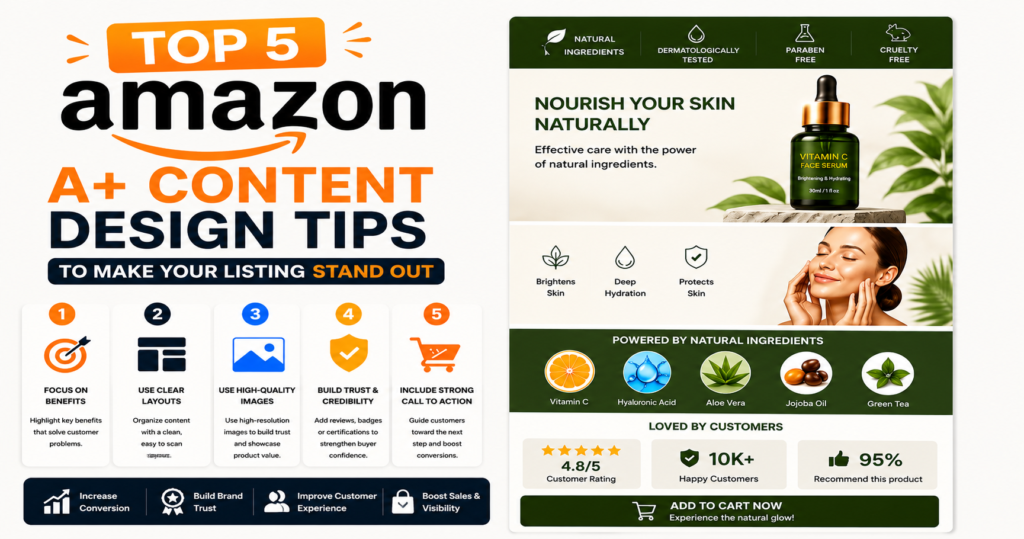
Selling on Amazon in 2026 is more competitive than ever. Thousands of products compete for the same customer attention, making it difficult for sellers to stand out through ordinary product listings alone. Buyers no longer make decisions based only on price; they look for trust, clarity, professional presentation, and detailed product information before purchasing. This is where Amazon A+ Content becomes a powerful tool for sellers and brands.
Amazon A+ Content allows sellers to upgrade standard product descriptions into visually rich and highly informative brand experiences. With professionally designed banners, comparison charts, lifestyle imagery, feature highlights, and storytelling sections, A+ Content helps customers understand products better and builds stronger buying confidence.
However, simply adding images and text is not enough. Poor layouts, weak visuals, or generic messaging can reduce the effectiveness of A+ Content. To truly improve conversions and create a premium shopping experience, sellers need strategic design and content planning.
If you want your Amazon listing to attract more attention and create a lasting impression, these five Amazon A+ Content design tips can help you build listings that look professional, communicate value clearly, and encourage shoppers to buy.
1. Understand Your Target Customer Before Designing
One of the biggest mistakes sellers make is designing A+ Content without understanding who they are selling to. Great design begins with customer understanding. Before selecting colors, images, or content modules, identify your ideal buyer and their expectations.
Different customer groups respond to different messaging styles and visuals. A tech buyer may prefer specifications and performance graphics, while a skincare customer may respond more to lifestyle imagery and emotional storytelling.
When planning A+ Content, consider:
- Customer age and demographics
- Shopping behavior
- Problems your product solves
- Purchase motivations
- Common questions and objections
Understanding customer pain points helps you create content that directly answers their concerns.
For example, if you sell kitchen appliances, customers may worry about durability, cleaning, or ease of use. Your A+ Content should visually address these concerns through feature demonstrations and clear benefit-focused messaging.
Instead of designing for everyone, design specifically for your most likely buyer. Customer-focused A+ Content feels more relevant, improves engagement, and creates a smoother decision-making process.
2. Use Premium Visuals That Highlight Product Benefits
Amazon is a visual marketplace. Customers often decide within seconds whether to continue exploring a listing. High-quality visuals are therefore essential for successful A+ Content.
Professional product imagery instantly creates credibility and improves brand perception. Low-resolution photos, inconsistent branding, or cluttered layouts can reduce trust and negatively impact conversions.
Effective Amazon A+ visuals typically include:
Lifestyle Images
Show the product being used in real-life situations. Lifestyle imagery helps customers imagine ownership and understand practical usage.
Feature Highlight Graphics
Rather than listing technical details only, use design modules to visually explain product benefits.
Example:
- Fast charging cable → show charging speed
- Furniture → show storage capacity and room styling
- Beauty products → show ingredient and application benefits
Infographics
Infographics simplify information and improve readability. Customers can quickly understand dimensions, materials, features, or compatibility.
Consistent Brand Design
Maintain consistency in:
- Typography
- Colors
- Image style
- Layout design
- Brand tone
A consistent visual identity makes your listing look more professional and memorable.
The goal is not simply to decorate the listing but to communicate value visually and reduce buyer hesitation.
3. Create a Clean and Organized Content Layout
Even premium images lose effectiveness when content is poorly organized. Many Amazon listings overwhelm shoppers with excessive text or confusing layouts.
A+ Content should guide customers naturally through the buying journey.
A strong content structure generally follows this flow:
Hero Banner
Begin with a visually powerful banner introducing the product and brand message.
Problem + Solution Section
Show what problem customers face and how your product solves it.
Feature and Benefit Modules
Highlight major features using concise text and supporting graphics.
Usage Demonstration
Explain how the product works or where it fits into daily life.
Comparison Charts
If you offer multiple variants or related products, comparison charts help customers choose confidently.
Trust and Brand Section
End with credibility-building information.
Clean layouts improve:
- Readability
- User experience
- Information retention
- Purchase confidence
Avoid overcrowding modules with excessive text. Amazon shoppers prefer fast, visually guided information.
Simple and organized design often performs better than complicated layouts.
4. Tell a Brand Story That Builds Trust
Modern consumers buy from brands they trust. A+ Content offers an excellent opportunity to create emotional connection and communicate your brand identity.
Instead of focusing only on product features, explain who you are and why your brand exists.
A compelling brand story can include:
Brand Mission
What motivates your business?
Quality Commitment
How do you ensure product quality?
Craftsmanship or Production Process
Show the effort behind your product.
Customer-Centered Values
Explain your dedication to customer satisfaction.
People remember stories more than specifications.
For example, handmade brands can showcase craftsmanship, sustainable brands can highlight eco-friendly sourcing, and technology brands can emphasize innovation and engineering.
Social proof also strengthens credibility.
You can include:
- Customer testimonials
- Product satisfaction highlights
- Trust-building statements
- Quality assurance messaging
Strong storytelling transforms A+ Content from a product description into a brand experience.
5. Design A+ Content with SEO and Conversion Strategy in Mind
Although Amazon A+ Content is primarily visual, it should still support your overall listing SEO and conversion strategy.
Many sellers mistakenly treat design and SEO as separate activities. In reality, both work together.
Start with proper keyword research.
Identify search phrases customers commonly use when looking for products similar to yours.
Examples include:
- Product category keywords
- Feature-based keywords
- Problem-solving terms
- Buyer intent phrases
Use these naturally in:
- Product title
- Bullet points
- Backend keywords
- Supporting A+ text
Avoid keyword stuffing. Amazon rewards clarity and customer-focused language.
Beyond SEO, conversion optimization should remain the primary objective.
Ask:
- Does this section answer customer doubts?
- Does it explain product value clearly?
- Does it reduce buying hesitation?
- Does it strengthen trust?
Every design block should support conversion.
Remember that attractive design alone does not guarantee results. Strategic messaging and customer psychology play equally important roles.
Final Thoughts
Amazon A+ Content is no longer an optional enhancement—it has become an essential branding and conversion tool for serious sellers.
Well-designed A+ Content helps your listing:
- Stand out from competitors
- Improve customer understanding
- Build brand trust
- Increase perceived value
- Encourage stronger purchase decisions
By understanding your audience, using premium visuals, organizing content strategically, sharing your brand story, and combining design with conversion thinking, you can create Amazon listings that look professional and perform better.
If you want your products to stand out in a crowded marketplace, investing in professionally designed Amazon A+ Content can make a significant difference in your brand presentation and overall sales growth.