
Common Challenges Blinkit Sellers Face and How to Overcome Them
By Ecomm11 Team ·
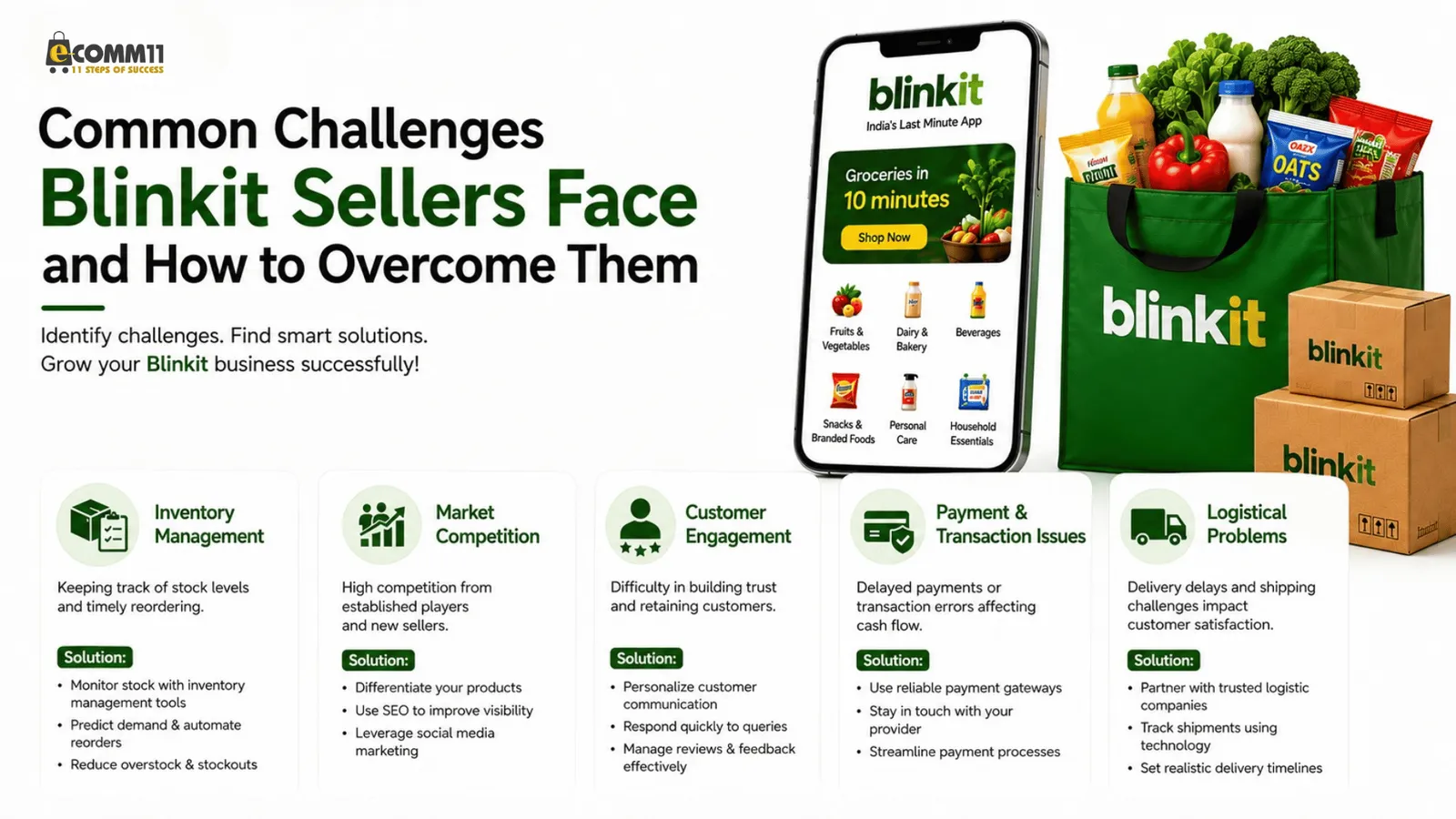
Most problems Blinkit sellers bring to us are not about finding customers. They are about stock that is rejected at the dark store, listings that go out of stock, fees that were not in the margin calculation, settlements that do not match orders, and invoices that fail validation. Blinkit runs the payment collection and the delivery itself, so those two are not your problem. The five below are.
1. Inwarding rejections at the dark store
Inwarding is the step where your stock is received at Blinkit's dark store or fulfilment centre. It is charged per unit (our commission calculator uses ₹7.50 per unit) and it is where new sellers first lose stock and time. The consignment is checked against the listing when it arrives: barcode, weight and dimensions, pack size, batch and expiry. Where they do not match, the units are not accepted.
Fix: get the listing right before the stock moves. The product weight, dimensions and pack size on the listing must match the carton that arrives. Check the category mapping and image guidelines in our step-by-step guide to setting up your Blinkit store, and keep the documents that registration asked for close by, because the same details are checked again at inwarding. The list is in documents required for Blinkit seller registration.
2. Fill rate and availability
Quick commerce sells on the promise that the product is on the shelf now. If a listed SKU is out of stock at the dark store, the order is lost and the listing loses visibility. Fill rate, the share of orders you could actually serve, and daily availability are the two numbers we track every day on managed accounts for exactly this reason.
Fix: plan inventory against sales velocity, not against the calendar. Track fast-moving SKUs daily, keep safety stock for them, and forecast the next inwarding before the current stock runs low. Managing inventory and orders in the Blinkit seller platform walks through the panel views for this, and best practices for managing orders covers the cancellation side. Storage is charged by volume and by day, so the answer is not to overstock either; the calculator shows the storage fee for a given quantity and days-to-sell.
3. Commission slabs that eat the margin
Blinkit's commission is not one flat rate. It changes with the selling price and the category, and promotional campaigns can change it again. In our calculator the slab runs from 2% on items up to ₹500 to 18% above ₹1,200, with fulfilment at ₹25 per unit on top. A product priced at ₹499 and the same product priced at ₹549 sit in different slabs, which is why a small price increase can leave you with less.
Fix: price with the slab in mind. Run every SKU through the Blinkit commission calculator before you set a selling price, then check the category rate on your rate card; the calculator is an estimate. The breakdown of what each fee is for is in Blinkit seller fees, commissions and charges explained and everything you need to know about Blinkit seller commissions and fees.
4. Settlements that do not match orders
Blinkit pays on a weekly cycle, usually 7 to 10 days after delivery, and holds the amount for returned or cancelled orders until the return window closes. Sellers who only look at the credited amount cannot tell whether a shortfall is a return hold, a deduction they did not budget for, or a genuine discrepancy.
Fix: reconcile every settlement against the orders it covers. Commission, fulfilment, storage, inwarding and taxes are deducted before the payout, so compare each line with what you expected from the calculator. When and how Blinkit pays sellers explains the cycle, and how to manage payments and orders as a Blinkit seller covers the settlement reports to check each week. Plan expenses around the cycle rather than around the order date.
5. IRN and e-invoice validation failures
Sellers covered by GST e-invoicing have to generate an Invoice Reference Number for each invoice through the Invoice Registration Portal. When validation fails, the invoice is rejected until the error is corrected and resubmitted, and until then the paperwork for that order is stuck. Doing this by hand for quick-commerce order volumes is where the errors come from.
Fix: set the API integration up once and keep the credentials current. Our IRN e-invoice API setup guide for Blinkit sellers goes through registration on the portal, authentication, submission and the IRN, signed invoice and QR code that come back. Note that since 1 September 2025 Blinkit buys stock from sellers as the merchant of record, so stock and invoicing move to Blink Commerce Private Limited under a B2B model; our post on the Blinkit seller model shift explains what that changed for GST registrations and stock transfers.
Two things that are not your problem on Blinkit
You do not choose a payment gateway: Blinkit collects from the customer and settles with you. You do not choose a courier: Blinkit's dark stores and riders do last-mile delivery. What you control is the stock reaching the dark store correctly and staying available, and that is where the five issues above come from.
What to do next
Work through the five in order. Fix the listings so inwarding stops failing, then get availability stable, then reprice with the slabs, then reconcile settlements weekly, then automate invoicing. If you would rather hand this over, our Blinkit account management services cover catalogue, inwarding, availability tracking, settlement checks and Blinkit ads on a monthly plan, and the Blinkit seller onboarding package gets a new account registered and the first listings live.
Related posts
A/B Testing Strategies to Optimise Shopify Facebook Ad Campaigns
eCommerceA step-by-step approach to A/B testing Shopify Facebook ads: what to test first, fair setup in Ads Manager, creative, audience, landing page and offer tests, and how to judge results.
Common Facebook Ads Mistakes Shopify Store Owners Must Avoid
eCommerceThe Facebook ads mistakes that quietly drain Shopify budgets, why each one hurts, and the fix for every one, from tracking and optimisation events to creative fatigue and exclusions.
Google Ads Performance Max Campaigns: A Practical Guide for Shopify Sellers
eCommerceA Shopify seller's guide to Performance Max: what the campaign needs from your feed and tracking, how to structure asset groups, control brand spend, set bids and judge results honestly.