
Migrating Your Online Store: Best Practices and Common Pitfalls
By Avinash ·
Migrating your online store to a new platform is a significant decision that can enhance your business operations, improve customer experience, and boost your overall sales. However, the process can be complex and challenging without proper planning and execution. This comprehensive guide will walk you through the best practices for migrating your online store while highlighting common pitfalls to avoid. Following these guidelines will help ensure a smooth transition, minimizing disruption and maximizing benefits for your business.
Why Migrate Your Online Store?
There are several reasons why you might consider migrating your online store to a new platform:
- Scalability: As your business grows, you need a platform that can handle increased traffic and sales without compromising performance.
- Better Features: Newer platforms often offer advanced features and functionalities that can enhance your store’s capabilities.
- Improved Performance: A more solid platform can provide faster loading times, better user experience, and higher conversion rates.
- Enhanced Security: Up-to-date security features are crucial for protecting your store and customer data from threats.
- Cost Efficiency: Migrating to a cost-effective platform can reduce operational expenses and improve your bottom line.
Planning Your Migration
Effective planning is the cornerstone of a successful migration. Here’s how to plan your migration step-by-step:
1. Define Your Goals
Clearly define the objectives of your migration. Are you looking for better performance, more features, or improved security? Understanding your goals will help guide your decisions throughout the migration process.
2. Choose the Right Platform
Selecting the right platform is crucial. Evaluate different platforms based on your business needs, budget, and technical requirements. Popular options include Shopify, WooCommerce, Magento, and BigCommerce. Consider the following factors:
- Scalability
- Features
- Ease of Use
- Cost
3. Create a Migration Timeline
Develop a detailed timeline for the migration process. Include key milestones such as data backup, content migration, testing, and launch. Allocate sufficient time for each phase to avoid rushing and ensure thorough execution.
4. Backup Your Data
Backing up your data is a critical step before migration. Ensure you have copies of all essential data, including product information, customer data, orders, and website content. This will protect you against data loss during the migration.
5. Inform Your Team and Customers
Communicate your migration plan to your team and customers. Inform them about the upcoming changes, potential downtime, and any impacts they might experience. This helps manage expectations and reduces confusion.
Best Practices for a Smooth Migration
Data Migration
- Clean Up Data: Before migrating, clean up your data by removing duplicates, outdated information, and inaccuracies.
- Use Data Migration Tools: Use data migration tools to automate the transfer process and reduce errors. Tools like Cart2Cart or LitExtension can be very helpful.
- Test Data Integrity: After migration, verify the integrity of your data to ensure everything has been transferred correctly. Check for missing or corrupted data and rectify any issues immediately.
Content Migration
- Map URLs: Maintain your URL structures to avoid broken links and preserve your SEO rankings. Use 301 redirects to map old URLs to new ones.
- Update Internal Links: Check and update internal links to ensure they point to the correct pages on the new platform.
- Verify Media Files: Ensure all images, videos, and other media files are correctly migrated and displayed properly on the new site.
SEO Considerations
- 301 Redirects: Set up 301 redirects from old URLs to new URLs to preserve your SEO rankings and avoid broken links.
- Update Sitemaps: Update your XML sitemaps and submit them to search engines like Google and Bing.
- Monitor SEO Performance: Keep a close eye on your SEO performance before, during, and after migration. Use tools like Google Analytics and Google Search Console to identify and address any issues.
Testing and Quality Assurance
- Functionality Testing: Test all functionalities, including the shopping cart, checkout process, and payment gateways, to ensure they work smoothly.
- Cross-Browser Testing: Ensure your site works correctly across different browsers and devices. Test on popular browsers like Chrome, Firefox, Safari, and Edge.
- User Testing: Conduct user testing to identify any usability issues and gather feedback. This can help you make necessary improvements before the final launch.
Common Pitfalls to Avoid
- Poor Planning
- Ignoring Data Cleanup
- Overlooking SEO
- Inadequate Testing
- Lack of Communication
- Ignoring Mobile Optimization
- Not Considering Scalability
- Skipping Training
- Overlooking Legal and Compliance Issues
Post-Migration Steps
- Monitor Performance
- Gather Feedback
- Update Marketing Materials
- Optimize for SEO
- Review Analytics
- Plan for Future Updates
Migrating your online store is a complex process, but with the right approach, it can lead to significant benefits for your business. By following best practices and avoiding common pitfalls, you can ensure a smooth and successful transition. If you need assistance with migrating your online store or need professional migration services, contact us at +91 91189 11174 or send us a WhatsApp message.
Related posts

The Role of Influencer Marketing in Ecommerce
BigCommerceToday’s ecommerce customers don’t make buying decisions the same way they did a few years ago. Instead of relying only on advertisements or product descriptions, many shoppers discover products through social media, creator recommendations, product reviews, and short-form videos. Before making a purchase, they often look for authentic opinions from people they trust. This shift […]

Headless Commerce: What It Is and Why It Matters
BigCommerceIn the rapidly evolving world of ecommerce, businesses are constantly seeking innovative solutions to stay ahead of the competition. One such solution that has gained significant traction is headless commerce. But what exactly is headless commerce, and why does it matter? This blog will delve into the concept of headless commerce, its benefits, and why […]
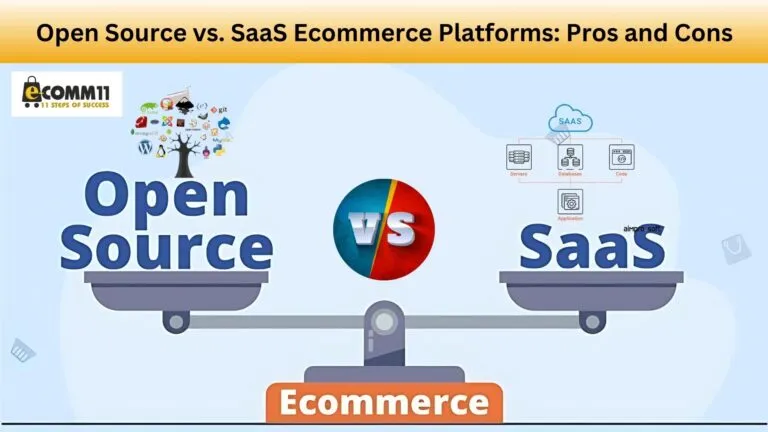
Open Source vs. SaaS Ecommerce Platforms: Pros and Cons
BigCommerceIntroduction When starting an online store, one of the most important decisions is choosing the right eCommerce platform. There are two main types of eCommerce platforms: open source and SaaS (Software as a Service). Each has its own set of advantages and disadvantages. In this blog, we will discuss the pros and cons of open […]